
EnvisionSCADA Edge
Every station runs the same project as a complete, local EnvisionSCADA.
Centrally deployed, managed and monitored.
AI-ready through MCP.
- 1One project for all stations, managed and deployed centrally
- amd64 and arm64Docker image for Linux and Windows
- 2 GB RAM minRaspberry Pi, NVIDIA Jetson, Advantech UNO and other edge devices
- 443 and 8883Fully encrypted and secure protocols
Certificates centrally managed
One Fleet Manager, every edge device
Whatever the hardware at the site, each station appears as an Edge Node on the central system, with its version, its last check-in and its deploy status.
Manageable through configuration pages, API or MCP.
-
Raspberry Pi
- Running
- Version 12
- Check-in
- 8 s ago
-
NVIDIA Jetson
- Running
- Version 12
- Check-in
- 21 s ago
-
Advantech UNO
- Running
- Version 11
- Check-in
- 2 s ago
-
Raspberry Pi
- Running
- Version 11
- Check-in
- 47 s ago
-
Advantech UNO
- Running
- Version 12
- Check-in
- 13 s ago
-
NVIDIA Jetson
- Running
- Version 12
- Check-in
- 5 s ago
Illustration with example stations.
Every station on the map
Place the stations on a map with your own symbols. Click a station and its faceplate opens on the map, with live values and control.
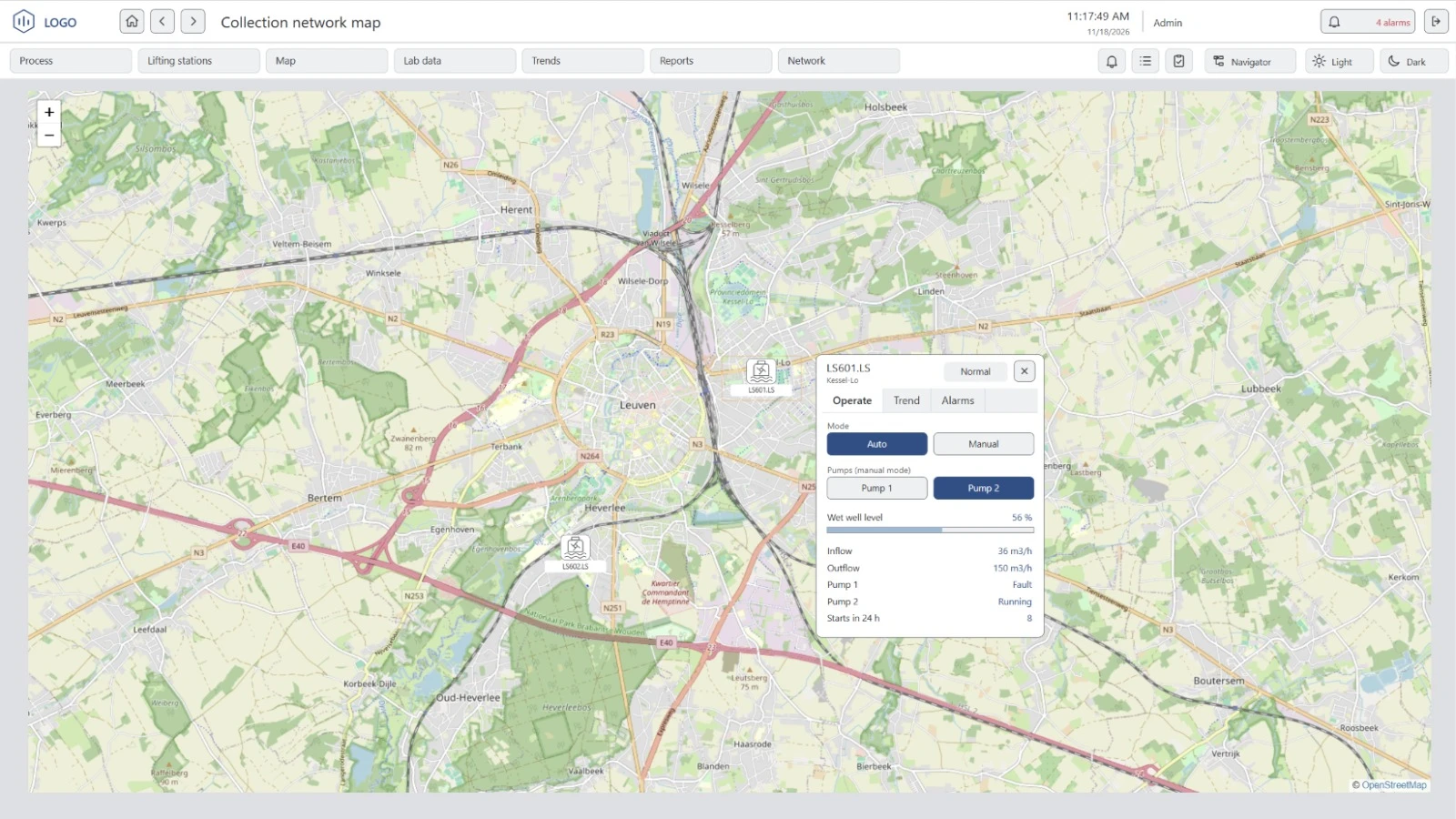
- Your own symbols Draw a station symbol once and use it for every station, with its state shown on the map.
- Faceplates on the map Open a station without leaving the map: mode, pumps, levels, flows, trends and alarms.
- Static or dynamic position Fixed GPS coordinates for a station that stays put, or live coordinates from a variable, such as the GPS of the site router.
Secure by design
All communication is encrypted, certificates centrally managed, cybersecurity best practices in place, built for low-bandwidth links.
Press Deploy: the station downloads the new version at its check-in. The hollow dot is a command from the central system.Nothing on a station depends on the central system. When the link returns, the station checks in again.