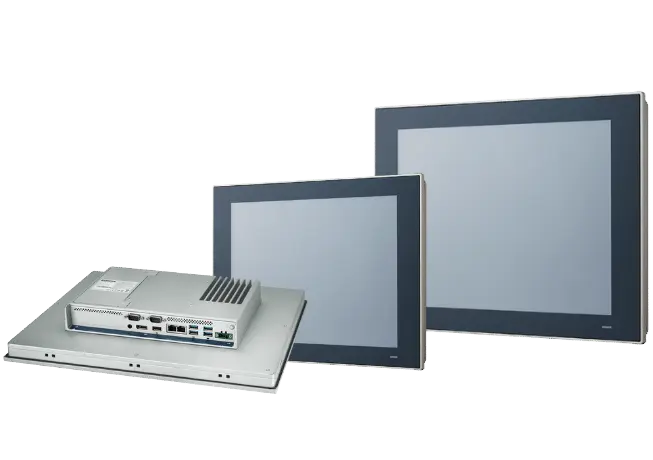
Industrial & panel PC
Runs on any standard computer, industrial PC or panel PC. Supplier trouble? Move the runtime to another brand, the project does not care.

 ENVISIONSCADA
Accelerating your digital transformation
EnvisionSCADA is a 100% HTML5 HMI / SCADA / data platform with AI-assisted engineering built in. Design graphics, assets and reports in natural language, and deploy to unlimited web clients.
Development is 100% free (forever)
Platform tour
Alarms, trends and audit trails are not add-ons. Everything below ships with every license.
Raw water intake and chemical dosing, with a live pump faceplate.
Multi-axis analysis with min, max and average per pen.
Alarm and event management with acknowledge and comment flows.
Every configuration change, with old and new values and chain verification.
level = read("TK201.Level")if level < 0.80: alarm("TK-201 low level", sev=2) write("P101.Cmd", 0)✓ scheduled · every 10 s
Embedded Python with direct access to variables: interlocks, scheduled jobs and custom logic, versioned with the project.
Graphics editor
Build your pages where they run. Drop objects from the standard library onto the canvas, bind them to variables, and watch them go live on every client the moment you save. No installed IDE, no license dongle on someone else's desk.
AI Assistant
The built-in AI Assistant understands your project.
“Can you change the color of the water tanks to light blue?”
The assistant inspects the page, finds that the tanks share a Color Library entry, and proposes the exact values it will change before touching anything.
“Create a UDT for a Schneider Electric power meter PM8000 on Modbus TCP.”
The assistant drafts the complete UDT definition: parameters, variables, Modbus addressing, scaling and trend groups, ready to instantiate across your plant from the Asset Manager.
“Can you add an alarm summary to this report?”
The assistant adds a data-bound alarm list to the open report, using the report period and your historian data, and confirms the exact component details before saving.
Model Context Protocol
Every EnvisionSCADA instance ships with a built-in MCP server. Connect Claude Code, Codex, GitHub Copilot or any MCP client, and let your AI read pages, create devices, variables, alarms and events, write configuration and upload project files against a running system.
/mcp, over HTTP or HTTPSReport Builder
The built-in Report Designer turns historian and runtime data into professional documents. Drag components onto a banded layout, bind them to your variables, and render from the runtime, on demand or on schedule.
Concurrent by design
There is no engineering mode. Development and runtime are two views on the same live server: engineers rework pages in parallel while operators keep controlling the process, and every save reaches every connected client the moment it lands. Clients are unlimited, so engineers, operators and dashboards all connect at once, without counting seats.
Parallel engineering · unlimited clients · no restarts · no sessions dropped
Built-in redundancy
A primary and standby pair continuously synchronize runtime state, alarm states and historian data. When the primary drops, clients reconnect to the standby by themselves and operation simply continues. When the primary returns, historian back-sync closes the gap before it rejoins.
Network map
Wide-area operations get a geographic overview: pumping stations, reservoirs and remote sites plotted on an interactive map with live values and alarm badges. Click a station and its faceplate opens right there, so you monitor and control without leaving the map.
Connectivity
Southbound to the control layer, northbound to IT and cloud: the drivers ship with the platform. Connect PLCs and RTUs directly, and publish live data onward.
Version control
Commit, branch, pull and restore without leaving EnvisionSCADA. Branch for the shutdown-week changes, see exactly what a colleague touched, and roll a bad edit back with full traceability. Multi-engineer projects, without copying project folders.
Deploy anywhere
From a panel PC on the machine to a redundant pair in the rack: the same project, the same license, the same web clients. Hardware and supplier independent, by principle.
Runs on any standard computer, industrial PC or panel PC. Supplier trouble? Move the runtime to another brand, the project does not care.
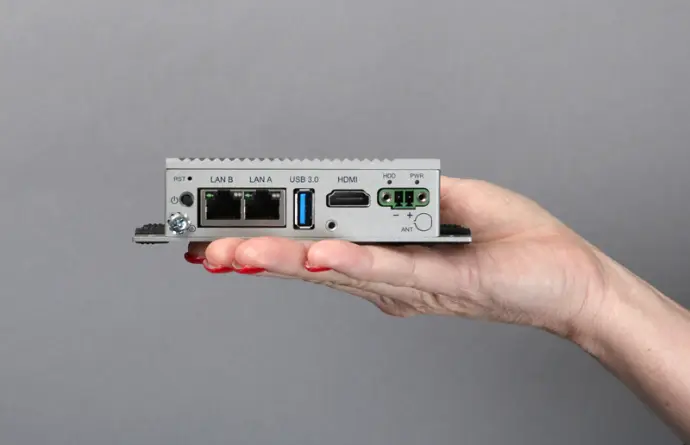
A lightweight Docker container on compact Linux devices, headless or with an industrial touchscreen. The runtime stays web-based, so every client is still just a browser.
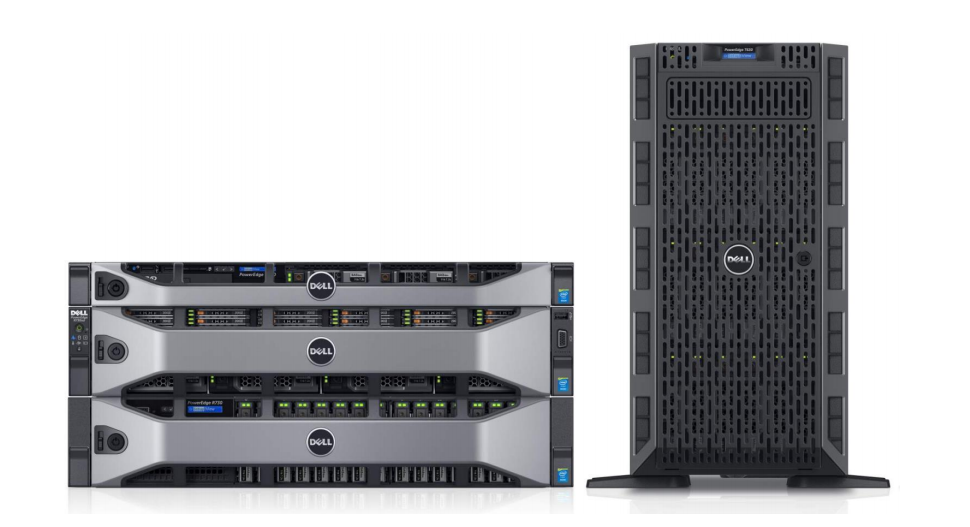
Grow into a primary and standby pair with continuous sync and automatic failover. Same project, same license family, every feature included.
Multi monitor
Runtime clients stretch across every monitor on the workstation. Pin the process overview to one screen and give alarms, the network map and trends their own. Each window shows its own page, and all of them stay live on a single session.
One workstation · one session · every screen live
Download EnvisionSCADA and build your first project free. Purchase a runtime license only when you go live.
Development is 100% free (forever) · Unlimited clients on every license