IIS HTTPS
Within the context of this system, IIS is used to host the web service and enable secure access through HTTPS. By configuring certificates generated with the Certificate Generator, IIS can establish trusted and encrypted connections between clients and the server.
- open the IIS on the computer/server where envision is installed
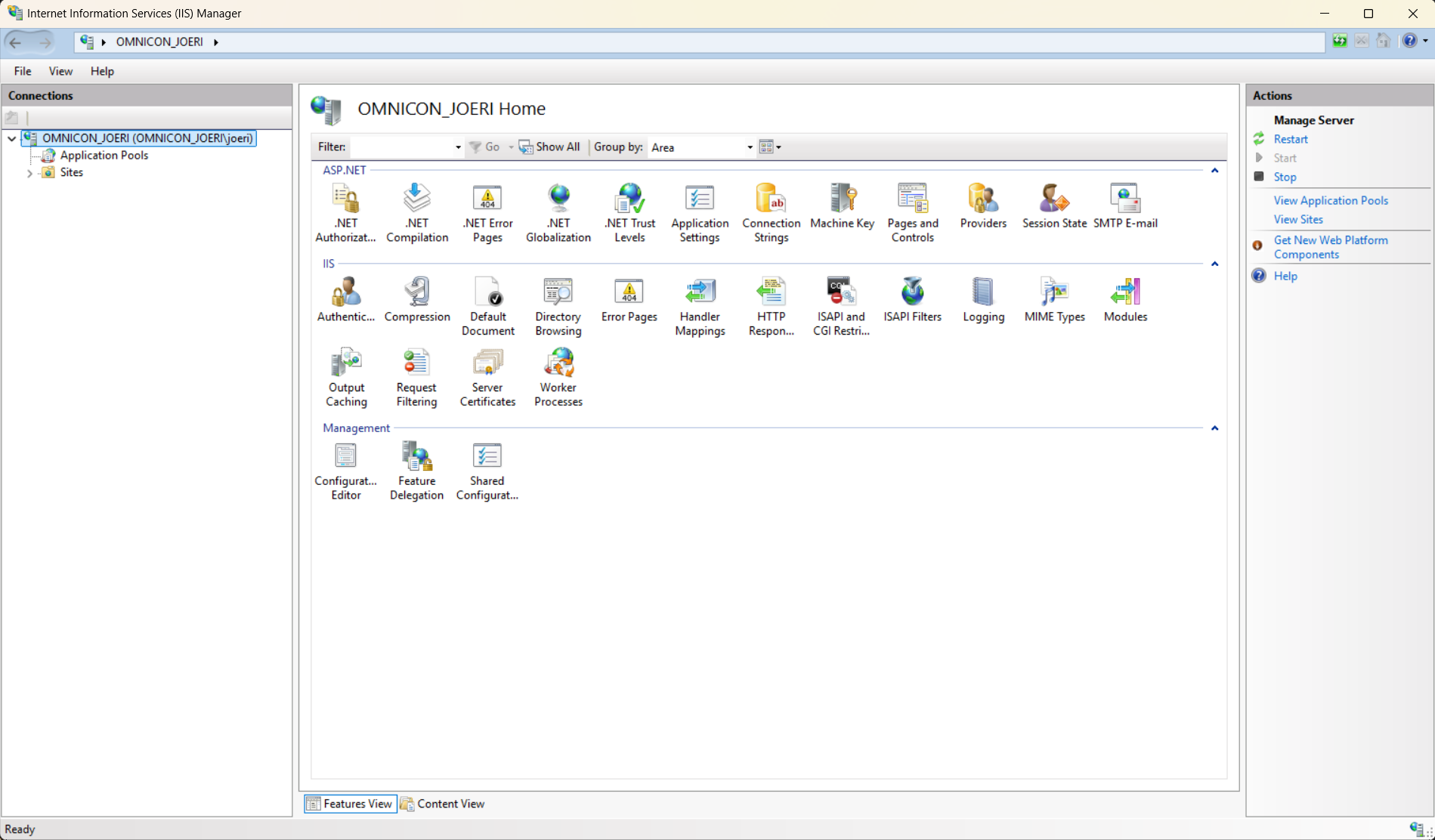
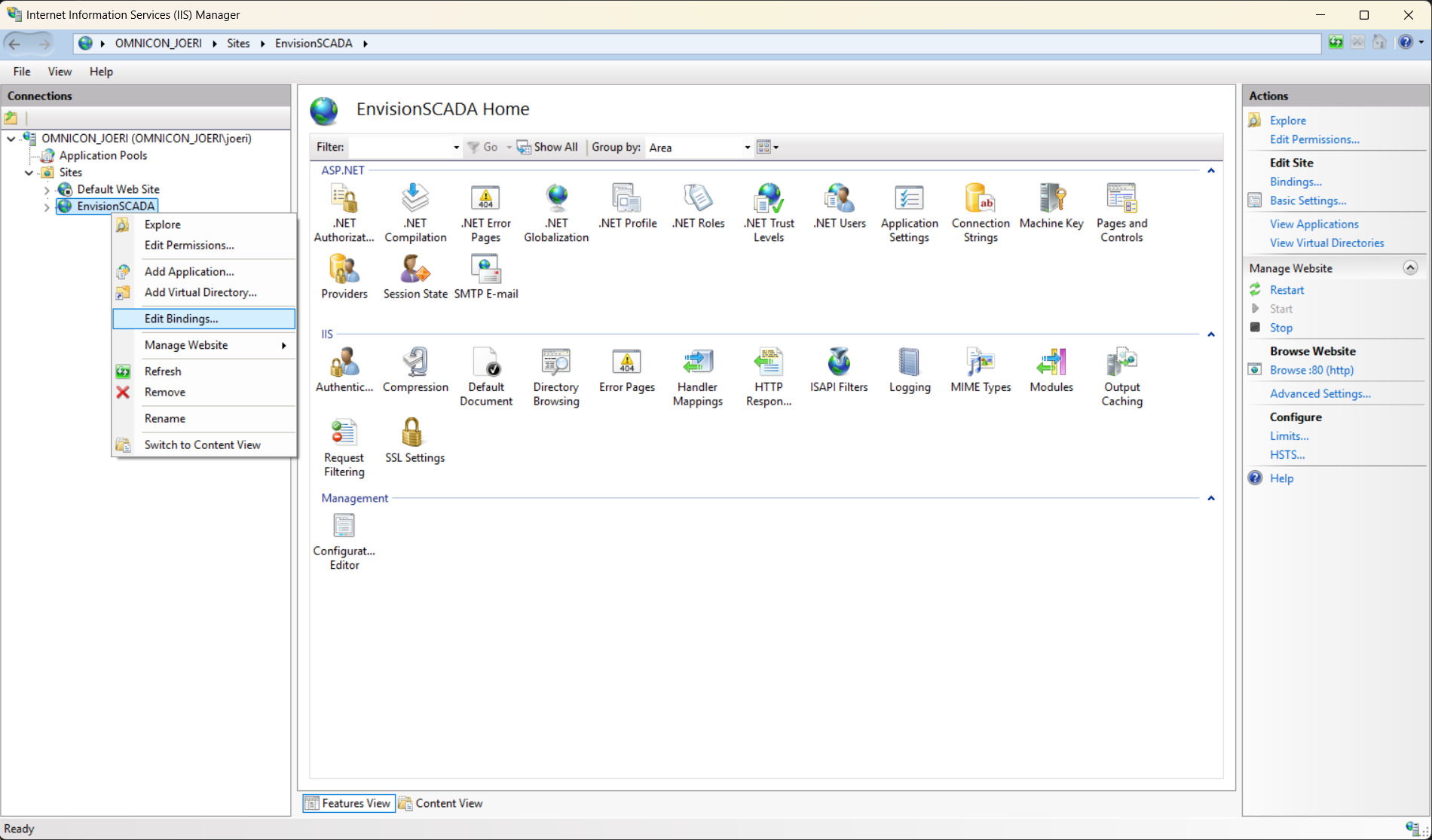
- In the Sites you will find Envision scada, right click and open edit bindings
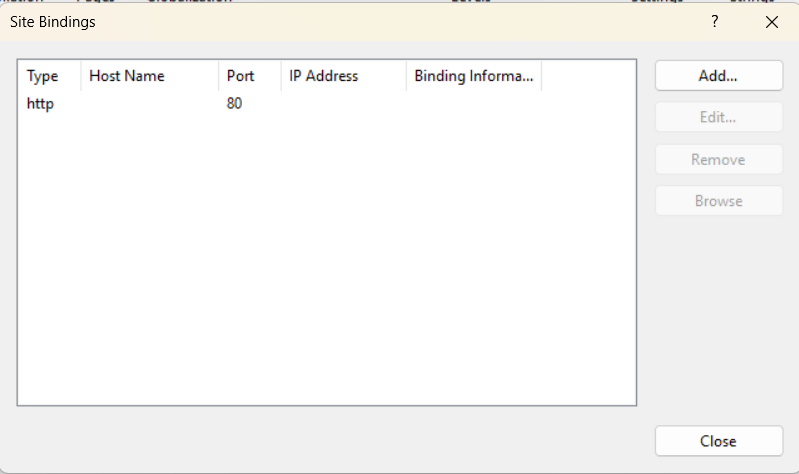
we will Add an HTTPS Binding. click on Add
Select HTTPS as the binding type. In this step, you can also define the HTTPS port to be used by the service.
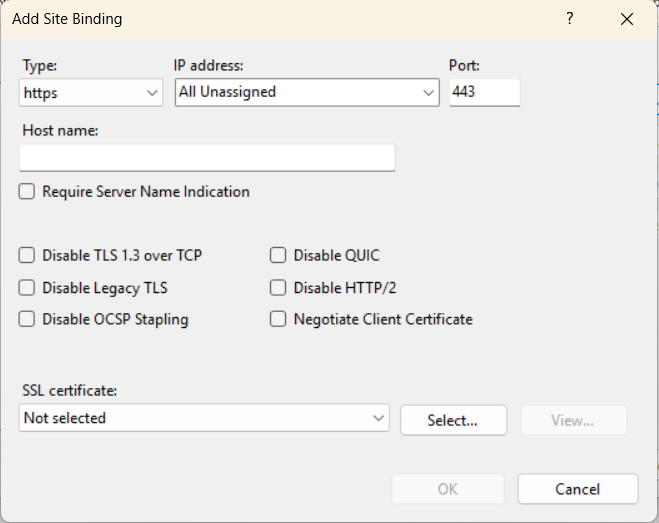
- Select the SSL certificate that was installed in the previous steps.
- If the configuration was completed correctly, the certificate should be visible in the list and identifiable by the IP address or DNS name of the Envision server, matching the Common Name (CN) defined during certificate creation.
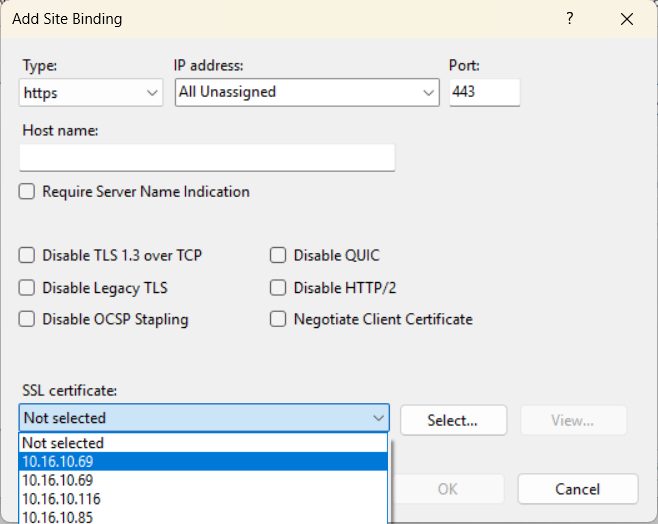
- Click OK
- A restart of the IIS site is required for the changes to take effect.
- In addition, the web browser used to access Envision should also be restarted to ensure that the updated certificate and security settings are properly applied.